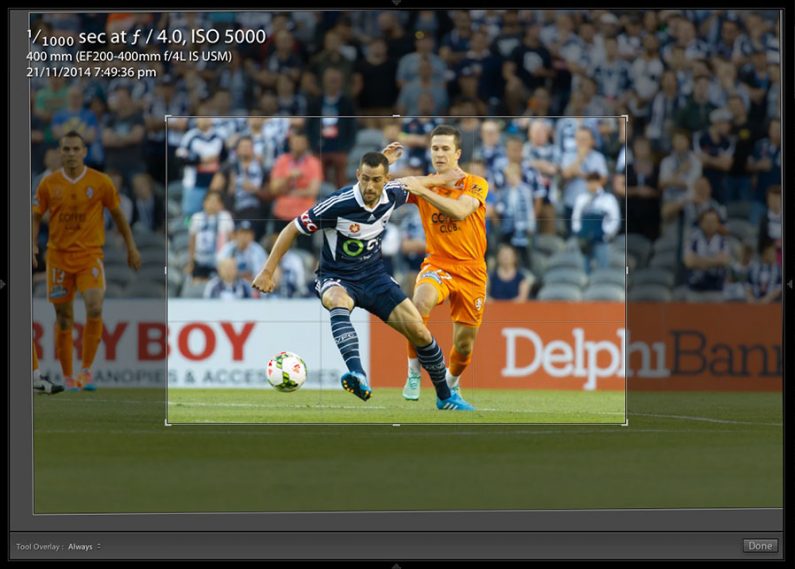
Seeing how the 7D performs under stadium lighting. Here’s a sample image at ISO 5000 and then processed via Lightroom. The top image shows the full frame and the second image is the crop and the third image is a 100% view. It’s not as clean as a 1DX but it’s certainly acceptable. I also found AF Area mode isn’t giving consistent result, possibly because the motor in the 7D isn’t driving the lens as quick as the 1D. Results using a single point with 4 point expansion is better. More testing to come.


Blog
Canon 7D Mk II Image Quality – event example
Canon 7D Mk II Image Quality – dynamic range and signal to noise
Just a quick test of the Canon 7D Mk II’s dynamic range showing the shadow detail when there’s a pure white element in the image. The first image is the overall scene and the next two are 100% crops of leaves with water drops from the rain. The shadow detail is looking OK. (Raw file. 1/25 @ 2.8 ISO 1600 processed in LR).
I’ve noticed that the 7D sensor really needs proper exposure (read Expose to the Right and The Optimum Digital Exposure) as it’s nowhere as forgiving as the sensor in the 1DX/C.



Tech tip: stopping time machine from automatically unlocking encrypted partitions
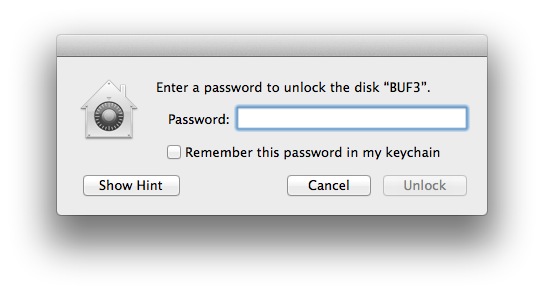
The Mac OSX Time Machine backup software allows you to encrypt the disk or disk partition that it uses to backup a Mac with Filevault 2. Encrypting a backup is designed to protect the contents so that only a person with the password to unencrypt the disk can restore its contents. However, time machine will automatically unlock and mount an unencrypted disk when it is attached to the computer that created the backup when a user logs in successfully. The time machine software stores a copy of the password and automatically uses it to unlock and mount the disk. You can see this behaviour in this screencast https://www.youtube.com/watch?v=9K4Lc_UHk84
While this is convenient it’s not the most secure approach for protecting a backup. There are many scenarios where a user might not want to have the disk automatically unlocked even though it is plugged into the computer used to create the backup partition. The most obvious reason is if you’ve had your computer and Time Machine external disk stolen, it is easy to create a new user with administrative access giving the thief full access to your backup. If you don’t want this to happen and still use an encrypted partition here is what you have to do:
1. Don’t use Time Machine to create the encrypted partition. Time Machine allows you to select a partition for the backup. To prevent time machine from automatically mounting encrypted partitions, don’t use Time Machine to create the partition.
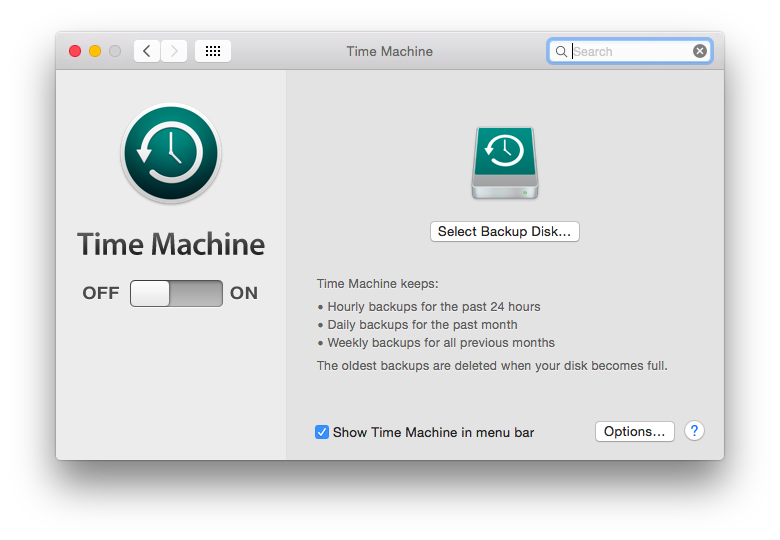
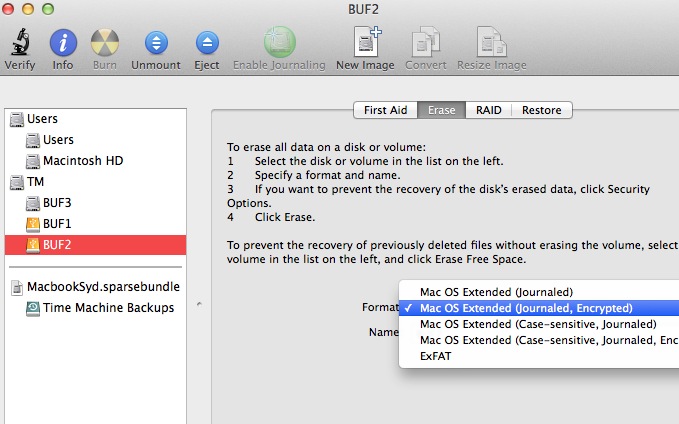
2. Instead, use Disk Utility to create an encrypted partition. Do this by erasing a disk or partition and select “encrypted”. After the partition has been created, open Time Machine and select the encrypted disk/partition for use as the backup disk but don’t check the “encrypted” check box as it is already encrypted:
3. When you restart your Mac or plug in the disk, don’t save password you will have to use to unlock the partition. This will allow Time Machine to use the disk/partition to use, but it won’t be available unless you choose to unlock the disk.
Tech Tip – Gigabyte Brix Pro and external disks have boot bios problem and workaround hack
Building a new Windows Media Center box with a Gigabyte Brix Pro GB-BXi5-4570R with external storage on a WD My Book. The config is Windows 7 Home Premium 64 bit, 4GB RAM, and a 60GB Kingston V300 SSD as the boot device.
Had to give up – with the WD disk attached, the Brix wouldn’t boot past the BIOS splash screen. It would just hang until the WD was unplugged and then rebooted. Mucked around for an afternoon trying the see if there was a BIOS setting that might have fixed it but couldn’t find one. Tried other disks like the Buffalo DDR, both had the same problem causing the PC to hang on boot.
So the hack to make the machine boot is to partition the external disk on a Mac, with a GUID header. Then the machine boots fine. Here’s a screenshot of what the disk looks like in the management app with the 300MB header partition.

I have no idea why this works but it does.
Keywords brix pro startup problems
AIDS Conference Published Stories
A couple of stories ran with my images in The Guardian. Click on the thumbnail to get to the story.