Some sample photos from the Australian Open 2020 shot with the Sony A7R4 using the 70-200mm and 200-600mm.
Blog






Fixing Using Apple Watch to Unlock Mac problems
Since 2013, compatible Macs can be conveniently unlocked with an Apple Watch. However, this feature sometimes suddenly stops working. There are web pages that have solutions, but these are no more than reprinting Apple’s support pages.
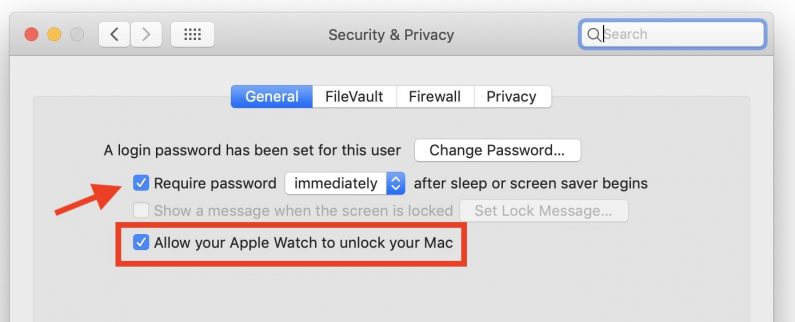
When my watch stopped unlocking, I was unable to reactivate it. The Mac displayed an error “unable to communicate with watch” error. The typical answer is toggle handoff, but I found that I fixed this by simply unchecking “Require Password…”. This then allowed me to activate Allow watch to unlock again.
Australian Grand Prix 2019
Selected photos from the GP. More photos here.






USB Transfer to iPads and iPhones from Nikon Z6/Z7 and Canon EOS-R/RP cameras
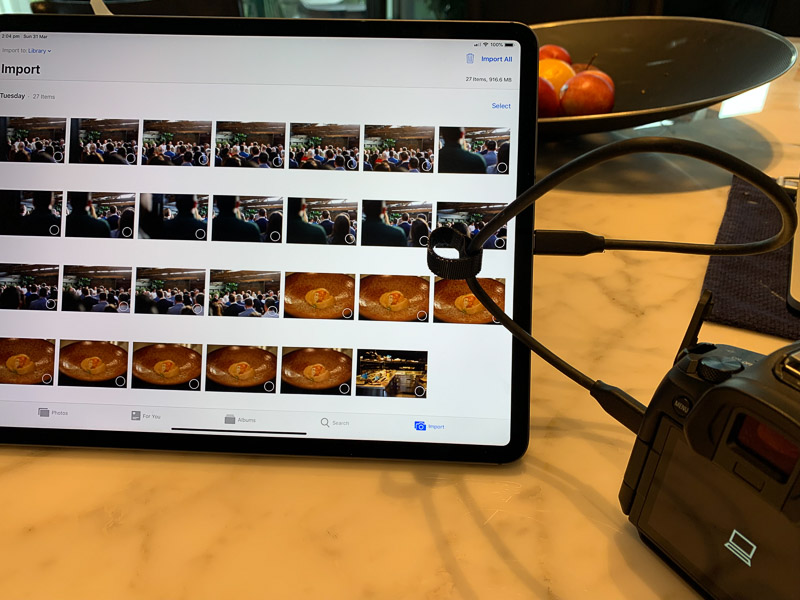
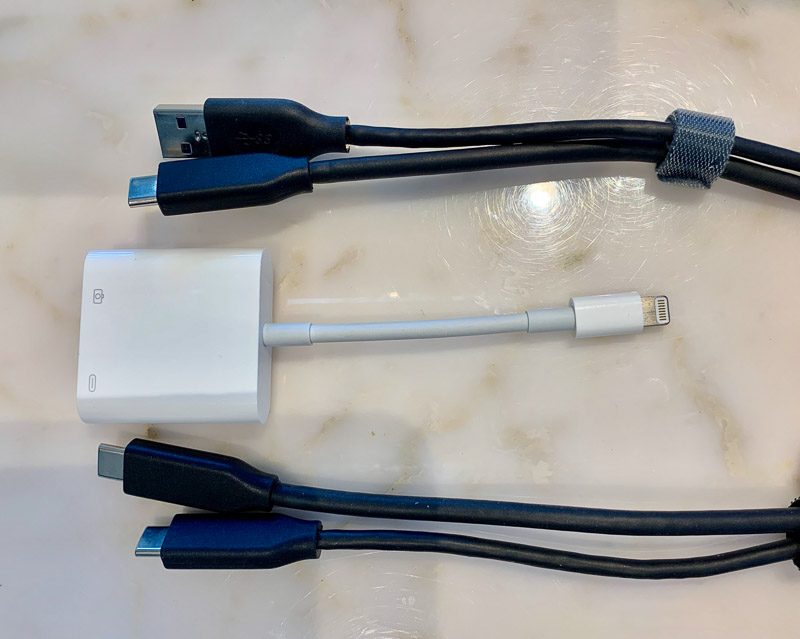
This should simplify photo backup and quick editing without the need for a laptop when travelling. Just two cables and a lightning to USB3 adapter will allow you to transfer JPEG and RAW to an iPad or iPhone. The 3rd generation iPad Pro uses USB-C connector so a dual ended USB-C cable like this one or this one is all you need. For iPhones and iPads other than the 3rd Gen, The Apple Lightning to USB 3 Camera Adapter is needed and a Super Speed 3.1 USB-A to USB-C cable to get the fastest transfer speed from cameras. If you use a USB-A to USB-C charging cable, transfers will only occur at USB 2.0 speeds which is woefully slow. I’ve also found that a USB-C female to Lightning adapters that you can find on Ebay doesn’t work for data transfers, requiring the Apple Camera Adapter and a USB-A cable.
These cables and adapter will work for both the Nikon Z6/Z7 and the Canon EOS-R/RP Mirrorless cameras as they both have USB-C connectors.
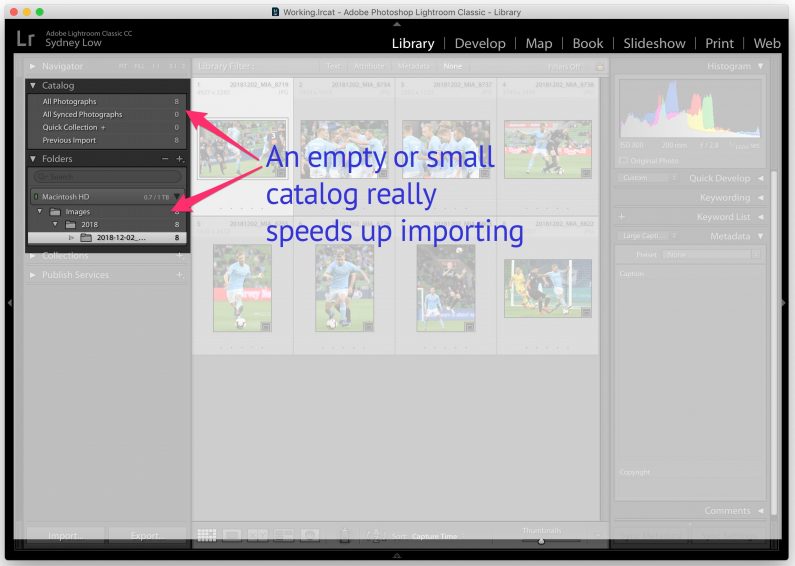
Use a small catalog to speed up import – Adobe Lightroom
Here’s a tip for my Lightroom friends. Was frustrated that my imports were taking too long – over 20 seconds to import a small number of images.
Decided to test it with an empty catalog and not unsurprisingly the import was nearly instant. So my workflow is now use a new catalog during an event and then import that into an archive catalog afterwards.