Blog
If you’re after some interesting beer give Hopfix from Denmark a try. Brewed by Christian Skovdal Andersen the beer is described as
“copper coloured India Pale Ale with plenty of fruity hop flavor and aroma. It features a dry finish and a firm bitterness balanced by chewy caramel malt. The ale is brewed with rye providing nice texture on the palate and a slight spicyness. With 6,5% alcohol it will easily cleanse the palate efter eating spicy food and refreshen the taste buds.”
If your Danish is good, you can have a look at the range of beers made by Beer Here at http://www.beerhere.dk/beers.aspx

Nov 01, 2010 | Categories: Food, Yummy stuff | Comments Off on Hopfix by Beer Here
Just finished using Shuttersnitch at a party and went to copy the files off two Eye-Fi cards. I tried to use a high speed Lexar reader and found an error which I’ve posted on the Eye-Fi forums. I’ve discovered an interesting issue. It seems you MUST use the Eye-Fi supplied card reader to copy files off.
1/11/10 01-Nov-10|9:31:18 AM	[0x0-0x105105].com.apple.Preview[1701]	Mon Nov 1 09:31:18 syd.low.st Preview[1701] : Unsupported marker type 0x0e

1/11/10 01-Nov-10|9:31:18 AM	Preview[1701]	Corrupt JPEG data: 64 extraneous bytes before marker 0xc0

1/11/10 01-Nov-10|9:31:18 AM	Preview[1701]	Unsupported marker type 0x0e
Keep an eye there if you’re interested in the replies. This is the card reader in question:

Nov 01, 2010 | Categories: Photo equipment, Tech | Comments Off on Eye-Fi cards warning
A muggy night at Etihad stadium hosted some great action. I sat on the south west corner:

At last week’s match I was on the south east side of the pitch. Here is a link to the gallery.
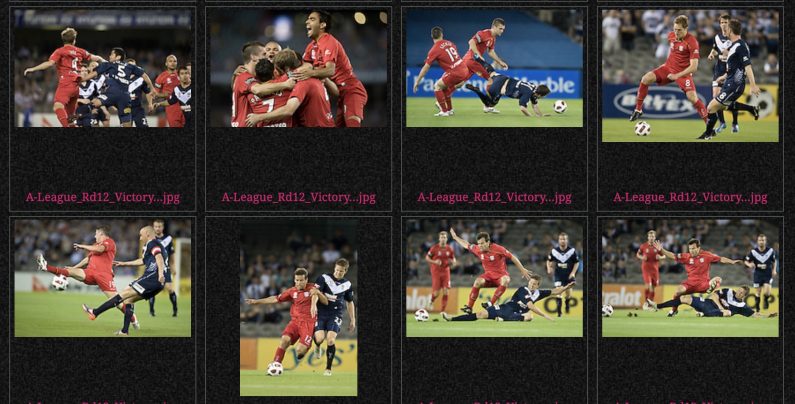
Oct 30, 2010 | Categories: A-League, Recent shoots, Sport | Comments Off on A-League Round 12
I use Lightroom and Photo Mechanic as my primary photo processing tools. If I’m editing in the field everything happens on my Macbook Pro laptop. But if I’m editing at home I will use a Mac Pro 8-core Nehalem with a main disk and two backups. I recently reconfigured the disks to get more space and improve performance. My setup involves 3 sets of disks onsite and another disk offsite:
1. Main disk that Lightroom accesses for the images and catalogs is a 1.5TB Raid 0 strip set that’s made with 2 x 750GB disks.
2. Primary backup is a 2TB Western Digital Caviar Black disk. This disk is a top performer in the non-enterprise disk sector
3. Secondary backup is a Drobo (1st gen) with 2.3TB of capacity that’s expandable to 5.5TB of storage
4. Offsite disk: Seagate Barracuda 1.5TB 7200RPM
When I come back from any shoot I load all the images onto the main disk from the CF cards. I don’t delete the images from the CF cards until after editing. I do the selects and upload them to the wire service. Then I copy the images that haven’t been discarded to the primary backup and secondary backup. using a simple app called SilverKeeper.
The Raid 0 disk array is made with Apple’s Snow Leopard operating system. No special hardware. The write speed is stunning. 230MB per second or twice that of the primary backup disk. When I run out of space I will probably swap the 750GB disks with 1.5TB ones and double the capacity. The risk of a Raid 0 is that a disk failure will take down the array so that’s why I backup immediately after every editing session. A small price to pay for the speed.
Here’s a snapshot of the disks:

Oct 24, 2010 | Categories: Photo equipment, Tech | Comments Off on My Photo Editing Setup: Disks
A beautiful Spring afternoon match. No sun across AAMI Park. ISO 800 at the start of the match before the sun set. Small crowd and pretty uneventful match. More pics here.

Oct 24, 2010 | Categories: A-League, Recent shoots, Sport | Comments Off on A-League Round 11
